
SyncFlow
المساعدة
Getting startedSyncingRecordingOther apps and mismatched numbersCheckingDeleting data
الصفحة الرئيسية للمساعدة›Syncing›How do I enable Auto Sync?

How do I enable Auto Sync?

Complete a manual sync, then turn on Auto Sync on the Sync tab. It is a Premium feature.

What it does

Sync your selected categories for today and the previous two days.

Use Manual Sync for older data.

Set up Auto Sync

  1. In Categories, choose the data to sync.
  2. On Home, tap “Sync”.
  3. Wait for the Manual Sync to finish.
  4. Check the result in “Sync History”.
  5. Open the “Sync” tab.
  6. Turn on “Auto Sync”.

Completion notifications

  1. Turn on “Notifications”.
  2. Allow notifications for SyncFlow in iPhone Settings.
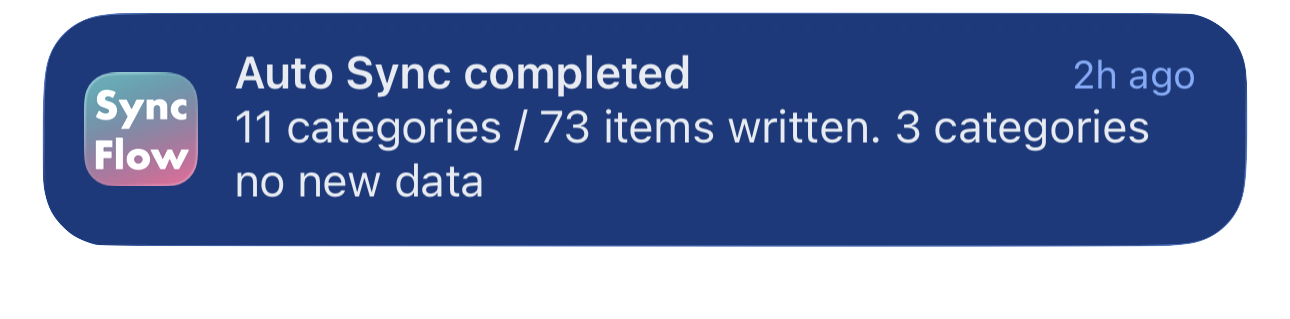
مثال باللغة الإنجليزية لإشعار اكتمال المزامنة التلقائية في SyncFlow، يعرض الفئات التي تمت مزامنتها والفئات التي لا تحتوي على بيانات جديدة.
مثال على الشاشة باللغة الإنجليزية. يعتمد المحتوى على نتيجة المزامنة.
التنزيل من App Storeالتنزيل من App Store

مقالات ذات صلة

  • How do Daily total and By record differ? ›
  • Why do numbers differ from Google Health (Fitbit)? ›

ما زلت بحاجة إلى مساعدة؟

اتصل بالدعم
SyncFlow

SyncFlow

الصفحة الرئيسية لـ SyncFlowالمساعدةاتصل بالدعم

الشروط

سياسة الخصوصيةشروط الاستخدام

© 2026 SyncFlow