
SyncFlow
Hilfe
Getting startedSyncingRecordingOther apps and mismatched numbersCheckingDeleting data
Hilfe-Startseite›Syncing›How do I enable Auto Sync?

How do I enable Auto Sync?

Complete a manual sync, then turn on Auto Sync on the Sync tab. It is a Premium feature.

What it does

Sync your selected categories for today and the previous two days.

Use Manual Sync for older data.

Set up Auto Sync

  1. In Categories, choose the data to sync.
  2. On Home, tap “Sync”.
  3. Wait for the Manual Sync to finish.
  4. Check the result in “Sync History”.
  5. Open the “Sync” tab.
  6. Turn on “Auto Sync”.

Completion notifications

  1. Turn on “Notifications”.
  2. Allow notifications for SyncFlow in iPhone Settings.
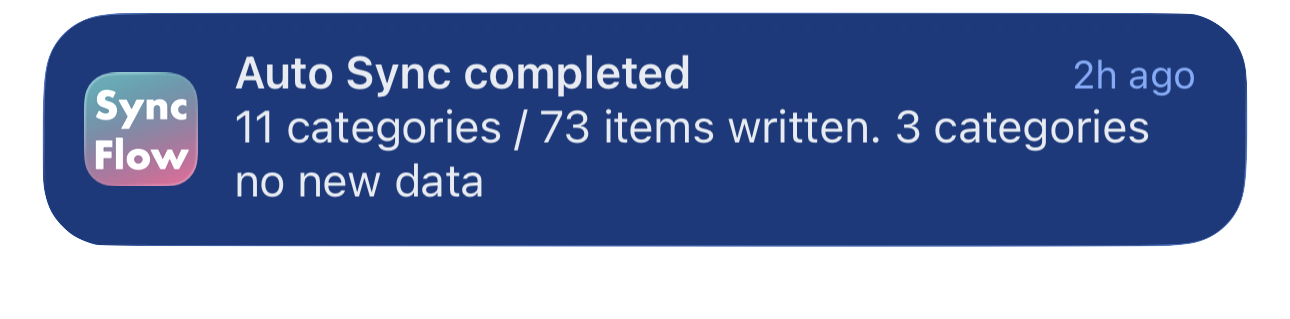
Englisches Beispiel einer Mitteilung zum Abschluss der automatischen Synchronisierung von SyncFlow mit synchronisierten Kategorien und Kategorien ohne neue Daten.
Beispiel auf Englisch. Der Inhalt hängt vom Ergebnis ab.
Laden im App StoreLaden im App Store

Verwandte Artikel

  • How do Daily total and By record differ? ›
  • Why do numbers differ from Google Health (Fitbit)? ›

Brauchst du noch Hilfe?

Support kontaktieren
SyncFlow

SyncFlow

SyncFlow StartseiteHilfeSupport kontaktieren

Rechtliches

DatenschutzerklärungNutzungsbedingungen

© 2026 SyncFlow