
SyncFlow
Ayuda
Getting startedSyncingRecordingOther apps and mismatched numbersCheckingDeleting data
Inicio de ayuda›Syncing›How do I enable Auto Sync?

How do I enable Auto Sync?

Complete a manual sync, then turn on Auto Sync on the Sync tab. It is a Premium feature.

What it does

Sync your selected categories for today and the previous two days.

Use Manual Sync for older data.

Set up Auto Sync

  1. In Categories, choose the data to sync.
  2. On Home, tap “Sync”.
  3. Wait for the Manual Sync to finish.
  4. Check the result in “Sync History”.
  5. Open the “Sync” tab.
  6. Turn on “Auto Sync”.

Completion notifications

  1. Turn on “Notifications”.
  2. Allow notifications for SyncFlow in iPhone Settings.
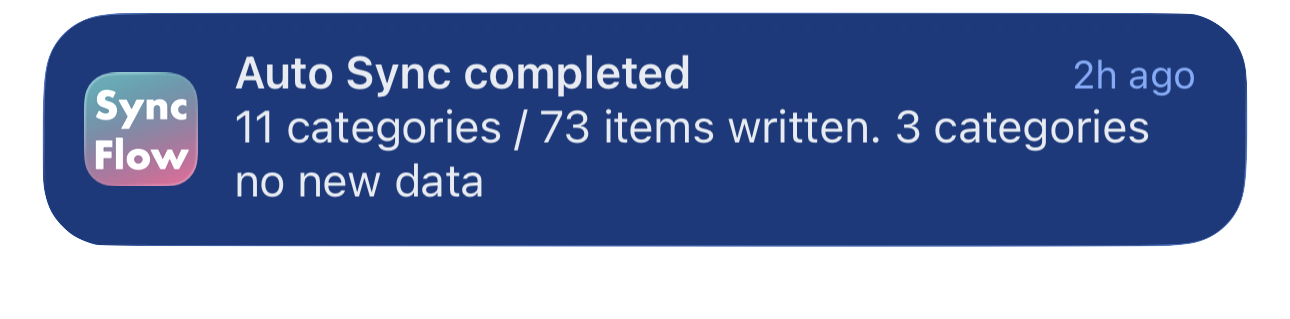
Ejemplo en inglés de una notificación de finalización de la sincronización automática de SyncFlow, con las categorías sincronizadas y las que no tienen datos nuevos.
Ejemplo de pantalla en inglés. El contenido depende del resultado.
Descargar en el App StoreDescargar en el App Store

Artículos relacionados

  • How do Daily total and By record differ? ›
  • Why do numbers differ from Google Health (Fitbit)? ›

¿Todavía necesitas ayuda?

Contactar soporte
SyncFlow

SyncFlow

Inicio de SyncFlowAyudaContactar soporte

Legal

Política de privacidadTérminos de uso

© 2026 SyncFlow