
SyncFlow
راهنما
Getting startedSyncingRecordingOther apps and mismatched numbersCheckingDeleting data
صفحه اصلی راهنما›Syncing›How do I enable Auto Sync?

How do I enable Auto Sync?

Complete a manual sync, then turn on Auto Sync on the Sync tab. It is a Premium feature.

What it does

Sync your selected categories for today and the previous two days.

Use Manual Sync for older data.

Set up Auto Sync

  1. In Categories, choose the data to sync.
  2. On Home, tap “Sync”.
  3. Wait for the Manual Sync to finish.
  4. Check the result in “Sync History”.
  5. Open the “Sync” tab.
  6. Turn on “Auto Sync”.

Completion notifications

  1. Turn on “Notifications”.
  2. Allow notifications for SyncFlow in iPhone Settings.
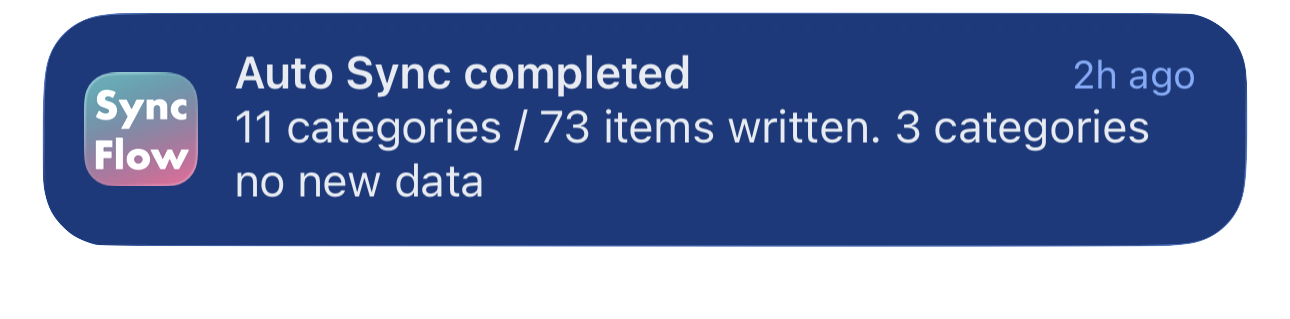
نمونهٔ انگلیسی اعلان پایان همگام‌سازی SyncFlow که دسته‌های همگام‌شده و دسته‌های بدون دادهٔ تازه را نشان می‌دهد.
نمونهٔ نمایش به زبان انگلیسی است. محتوا بر اساس نتیجه تغییر می‌کند.
دانلود از App Storeدانلود از App Store

مقاله‌های مرتبط

  • How do Daily total and By record differ? ›
  • Why do numbers differ from Google Health (Fitbit)? ›

هنوز به کمک نیاز دارید؟

تماس با پشتیبانی
SyncFlow

SyncFlow

خانه SyncFlowراهنماتماس با پشتیبانی

مقررات

سیاست حفظ حریم خصوصیشرایط استفاده

© 2026 SyncFlow