
SyncFlow
Aide
Getting startedSyncingRecordingOther apps and mismatched numbersCheckingDeleting data
Accueil de l’aide›Syncing›How do I enable Auto Sync?

How do I enable Auto Sync?

Complete a manual sync, then turn on Auto Sync on the Sync tab. It is a Premium feature.

What it does

Sync your selected categories for today and the previous two days.

Use Manual Sync for older data.

Set up Auto Sync

  1. In Categories, choose the data to sync.
  2. On Home, tap “Sync”.
  3. Wait for the Manual Sync to finish.
  4. Check the result in “Sync History”.
  5. Open the “Sync” tab.
  6. Turn on “Auto Sync”.

Completion notifications

  1. Turn on “Notifications”.
  2. Allow notifications for SyncFlow in iPhone Settings.
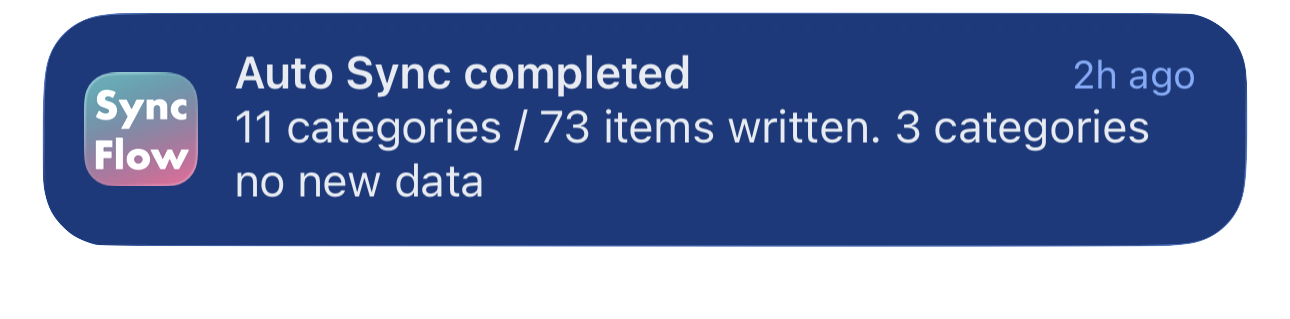
Exemple en anglais d’une notification de fin de synchronisation auto de SyncFlow indiquant les catégories synchronisées et celles sans nouvelles données.
Exemple d’affichage en anglais. Le contenu dépend du résultat.
Télécharger dans l’App StoreTélécharger dans l’App Store

Articles associés

  • How do Daily total and By record differ? ›
  • Why do numbers differ from Google Health (Fitbit)? ›

Vous avez encore besoin d’aide ?

Contacter le support
SyncFlow

SyncFlow

Accueil SyncFlowAideContacter le support

Mentions légales

Politique de confidentialitéConditions d’utilisation

© 2026 SyncFlow