
SyncFlow
עזרה
Getting startedSyncingRecordingOther apps and mismatched numbersCheckingDeleting data
דף הבית של העזרה›Syncing›How do I enable Auto Sync?

How do I enable Auto Sync?

Complete a manual sync, then turn on Auto Sync on the Sync tab. It is a Premium feature.

What it does

Sync your selected categories for today and the previous two days.

Use Manual Sync for older data.

Set up Auto Sync

  1. In Categories, choose the data to sync.
  2. On Home, tap “Sync”.
  3. Wait for the Manual Sync to finish.
  4. Check the result in “Sync History”.
  5. Open the “Sync” tab.
  6. Turn on “Auto Sync”.

Completion notifications

  1. Turn on “Notifications”.
  2. Allow notifications for SyncFlow in iPhone Settings.
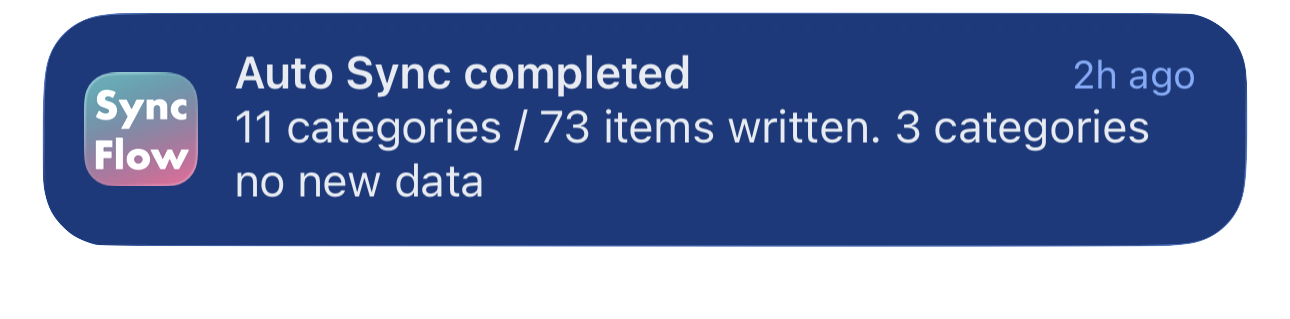
דוגמה באנגלית להודעת סיום סנכרון אוטומטי של SyncFlow, המציגה קטגוריות שסונכרנו וקטגוריות ללא נתונים חדשים.
דוגמת תצוגה באנגלית. התוכן תלוי בתוצאת הסנכרון.
הורדה מ-App Storeהורדה מ-App Store

מאמרים קשורים

  • How do Daily total and By record differ? ›
  • Why do numbers differ from Google Health (Fitbit)? ›

עדיין צריך עזרה?

יצירת קשר עם התמיכה
SyncFlow

SyncFlow

דף הבית של SyncFlowעזרהיצירת קשר עם התמיכה

תנאים

מדיניות הפרטיותתנאי השימוש

© 2026 SyncFlow