
SyncFlow
Bantuan
Getting startedSyncingRecordingOther apps and mismatched numbersCheckingDeleting data
Beranda Bantuan›Syncing›How do I enable Auto Sync?

How do I enable Auto Sync?

Complete a manual sync, then turn on Auto Sync on the Sync tab. It is a Premium feature.

What it does

Sync your selected categories for today and the previous two days.

Use Manual Sync for older data.

Set up Auto Sync

  1. In Categories, choose the data to sync.
  2. On Home, tap “Sync”.
  3. Wait for the Manual Sync to finish.
  4. Check the result in “Sync History”.
  5. Open the “Sync” tab.
  6. Turn on “Auto Sync”.

Completion notifications

  1. Turn on “Notifications”.
  2. Allow notifications for SyncFlow in iPhone Settings.
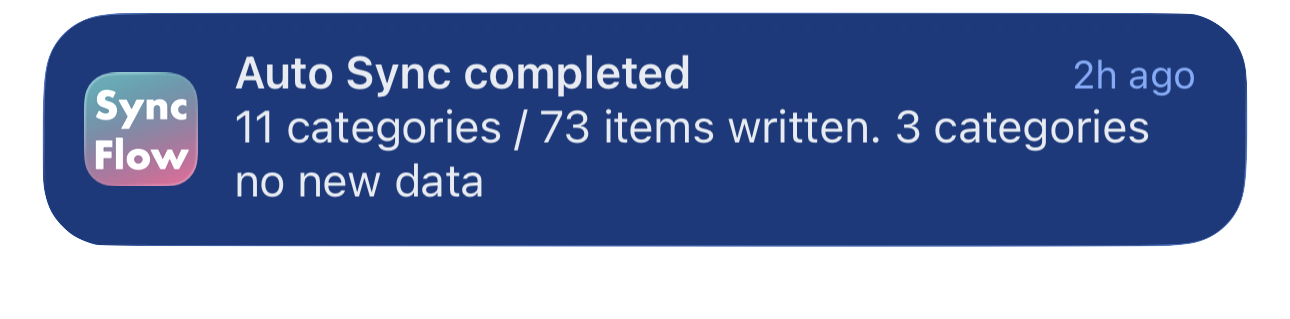
Contoh bahasa Inggris dari notifikasi penyelesaian Sinkronisasi Otomatis SyncFlow, yang menampilkan kategori yang sudah disinkronkan dan kategori tanpa data baru.
Contoh tampilan dalam bahasa Inggris. Isinya bergantung pada hasil sinkronisasi.
Unduh di App StoreUnduh di App Store

Artikel terkait

  • How do Daily total and By record differ? ›
  • Why do numbers differ from Google Health (Fitbit)? ›

Masih butuh bantuan?

Hubungi Dukungan
SyncFlow

SyncFlow

Beranda SyncFlowBantuanHubungi Dukungan

Ketentuan

Kebijakan PrivasiKetentuan Penggunaan

© 2026 SyncFlow