
SyncFlow
Assistenza
Getting startedSyncingRecordingOther apps and mismatched numbersCheckingDeleting data
Home Assistenza›Syncing›How do I enable Auto Sync?

How do I enable Auto Sync?

Complete a manual sync, then turn on Auto Sync on the Sync tab. It is a Premium feature.

What it does

Sync your selected categories for today and the previous two days.

Use Manual Sync for older data.

Set up Auto Sync

  1. In Categories, choose the data to sync.
  2. On Home, tap “Sync”.
  3. Wait for the Manual Sync to finish.
  4. Check the result in “Sync History”.
  5. Open the “Sync” tab.
  6. Turn on “Auto Sync”.

Completion notifications

  1. Turn on “Notifications”.
  2. Allow notifications for SyncFlow in iPhone Settings.
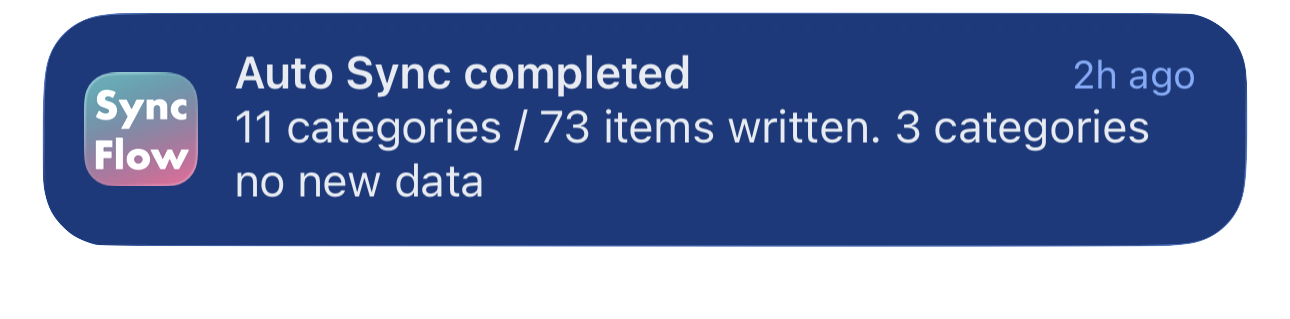
Esempio in inglese di una notifica di completamento della Sincronizzazione automatica di SyncFlow, con le categorie sincronizzate e quelle senza nuovi dati.
Esempio di schermata in inglese. Il contenuto dipende dal risultato della sincronizzazione.
Scarica su App StoreScarica su App Store

Articoli correlati

  • How do Daily total and By record differ? ›
  • Why do numbers differ from Google Health (Fitbit)? ›

Hai ancora bisogno di aiuto?

Contatta l’assistenza
SyncFlow

SyncFlow

Home di SyncFlowAssistenzaContatta l’assistenza

Note legali

Informativa sulla privacyTermini di utilizzo

© 2026 SyncFlow