
SyncFlow
സഹായം
Getting startedSyncingRecordingOther apps and mismatched numbersCheckingDeleting data
സഹായ ഹോം›Syncing›How do I enable Auto Sync?

How do I enable Auto Sync?

Complete a manual sync, then turn on Auto Sync on the Sync tab. It is a Premium feature.

What it does

Sync your selected categories for today and the previous two days.

Use Manual Sync for older data.

Set up Auto Sync

  1. In Categories, choose the data to sync.
  2. On Home, tap “Sync”.
  3. Wait for the Manual Sync to finish.
  4. Check the result in “Sync History”.
  5. Open the “Sync” tab.
  6. Turn on “Auto Sync”.

Completion notifications

  1. Turn on “Notifications”.
  2. Allow notifications for SyncFlow in iPhone Settings.
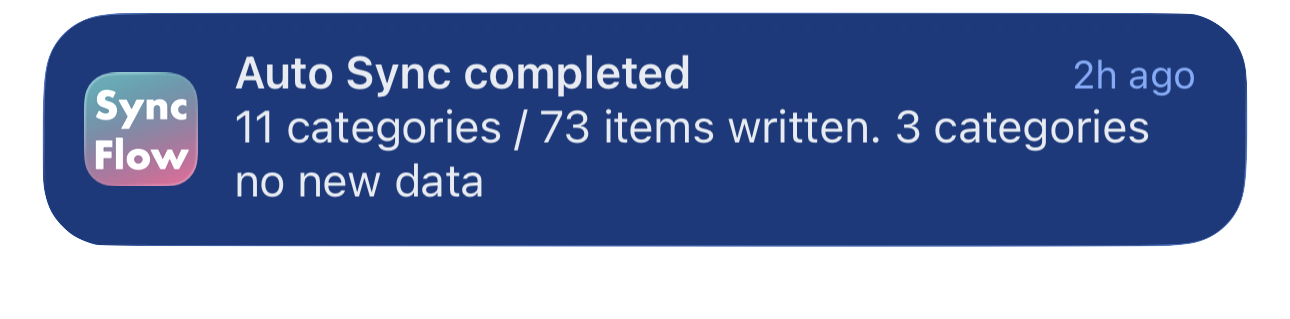
SyncFlow ഓട്ടോ സിങ്ക് പൂർത്തിയായ അറിയിപ്പിന്റെ ഇംഗ്ലീഷ് ഉദാഹരണം. സിങ്ക് ചെയ്ത വിഭാഗങ്ങളും പുതിയ ഡാറ്റയില്ലാത്ത വിഭാഗങ്ങളും കാണിക്കുന്നു.
ഇംഗ്ലീഷിലുള്ള പ്രദർശന ഉദാഹരണം. ഉള്ളടക്കം സിങ്ക് ഫലത്തെ ആശ്രയിച്ചിരിക്കുന്നു.
App Store ൽ നിന്ന് ഡൗൺലോഡ് ചെയ്യുകApp Store ൽ നിന്ന് ഡൗൺലോഡ് ചെയ്യുക

അനുബന്ധ ലേഖനങ്ങൾ

  • How do Daily total and By record differ? ›
  • Why do numbers differ from Google Health (Fitbit)? ›

ഇപ്പോഴും സഹായം വേണോ?

പിന്തുണയുമായി ബന്ധപ്പെടുക
SyncFlow

SyncFlow

SyncFlow ഹോംസഹായംപിന്തുണയുമായി ബന്ധപ്പെടുക

നിബന്ധനകൾ

സ്വകാര്യതാ നയംഉപയോഗ നിബന്ധനകൾ

© 2026 SyncFlow