
SyncFlow
मदत
Getting startedSyncingRecordingOther apps and mismatched numbersCheckingDeleting data
मदत मुख्यपृष्ठ›Syncing›How do I enable Auto Sync?

How do I enable Auto Sync?

Complete a manual sync, then turn on Auto Sync on the Sync tab. It is a Premium feature.

What it does

Sync your selected categories for today and the previous two days.

Use Manual Sync for older data.

Set up Auto Sync

  1. In Categories, choose the data to sync.
  2. On Home, tap “Sync”.
  3. Wait for the Manual Sync to finish.
  4. Check the result in “Sync History”.
  5. Open the “Sync” tab.
  6. Turn on “Auto Sync”.

Completion notifications

  1. Turn on “Notifications”.
  2. Allow notifications for SyncFlow in iPhone Settings.
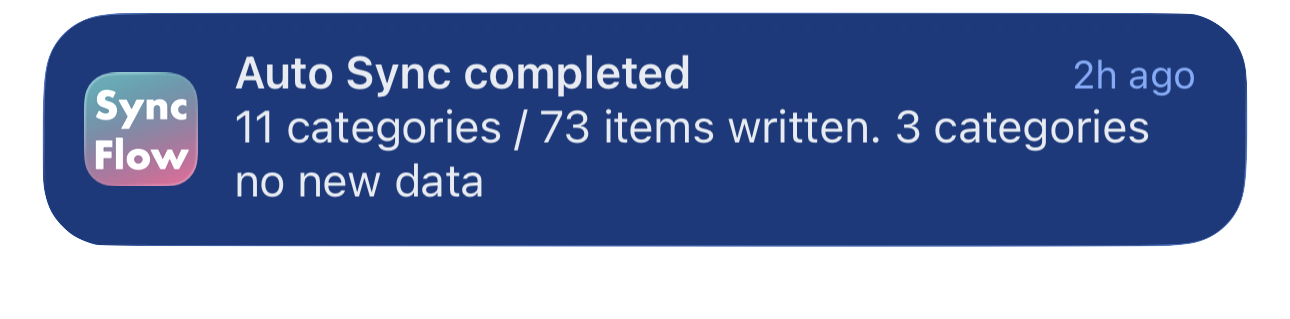
SyncFlow ऑटो सिंक पूर्ण झाल्याच्या सूचनेचे इंग्रजी उदाहरण; त्यात सिंक झालेल्या श्रेणी आणि नवीन डेटा नसलेल्या श्रेणी दाखवल्या आहेत.
इंग्रजीतील प्रदर्शनाचे उदाहरण. मजकूर सिंकच्या निकालावर अवलंबून असतो.
App Store वरून डाउनलोड कराApp Store वरून डाउनलोड करा

संबंधित लेख

  • How do Daily total and By record differ? ›
  • Why do numbers differ from Google Health (Fitbit)? ›

अजूनही मदत हवी आहे?

सहाय्याशी संपर्क साधा
SyncFlow

SyncFlow

SyncFlow मुख्यपृष्ठमदतसहाय्याशी संपर्क साधा

अटी

गोपनीयता धोरणवापराच्या अटी

© 2026 SyncFlow