
SyncFlow
Help
Getting startedSyncingRecordingOther apps and mismatched numbersCheckingDeleting data
Help-startpagina›Syncing›How do I enable Auto Sync?

How do I enable Auto Sync?

Complete a manual sync, then turn on Auto Sync on the Sync tab. It is a Premium feature.

What it does

Sync your selected categories for today and the previous two days.

Use Manual Sync for older data.

Set up Auto Sync

  1. In Categories, choose the data to sync.
  2. On Home, tap “Sync”.
  3. Wait for the Manual Sync to finish.
  4. Check the result in “Sync History”.
  5. Open the “Sync” tab.
  6. Turn on “Auto Sync”.

Completion notifications

  1. Turn on “Notifications”.
  2. Allow notifications for SyncFlow in iPhone Settings.
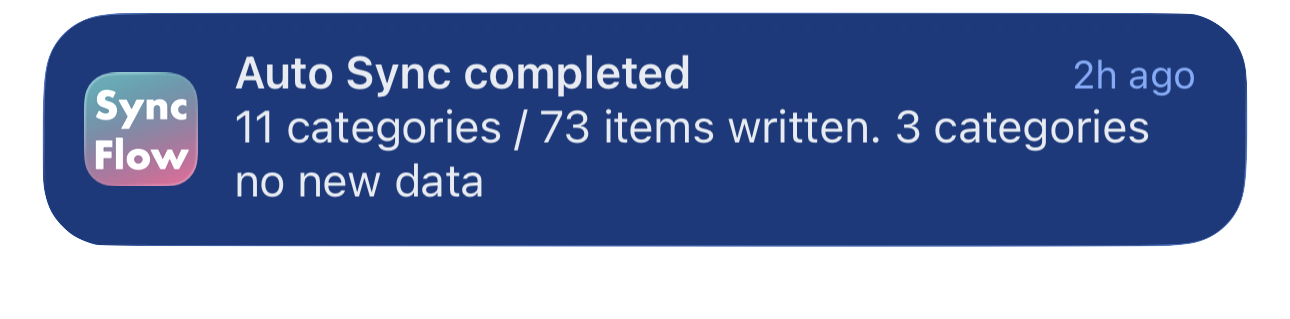
Engelstalig voorbeeld van een SyncFlow-melding over de voltooide automatische synchronisatie, met gesynchroniseerde categorieën en categorieën zonder nieuwe gegevens.
Engelstalig voorbeeld van het scherm. De inhoud hangt af van het synchronisatieresultaat.
Downloaden in de App StoreDownloaden in de App Store

Gerelateerde artikelen

  • How do Daily total and By record differ? ›
  • Why do numbers differ from Google Health (Fitbit)? ›

Heb je nog steeds hulp nodig?

Neem contact op
SyncFlow

SyncFlow

SyncFlow-startpaginaHelpNeem contact op

Juridisch

PrivacybeleidGebruiksvoorwaarden

© 2026 SyncFlow