
SyncFlow
Ajuda
Getting startedSyncingRecordingOther apps and mismatched numbersCheckingDeleting data
Início da ajuda›Syncing›How do I enable Auto Sync?

How do I enable Auto Sync?

Complete a manual sync, then turn on Auto Sync on the Sync tab. It is a Premium feature.

What it does

Sync your selected categories for today and the previous two days.

Use Manual Sync for older data.

Set up Auto Sync

  1. In Categories, choose the data to sync.
  2. On Home, tap “Sync”.
  3. Wait for the Manual Sync to finish.
  4. Check the result in “Sync History”.
  5. Open the “Sync” tab.
  6. Turn on “Auto Sync”.

Completion notifications

  1. Turn on “Notifications”.
  2. Allow notifications for SyncFlow in iPhone Settings.
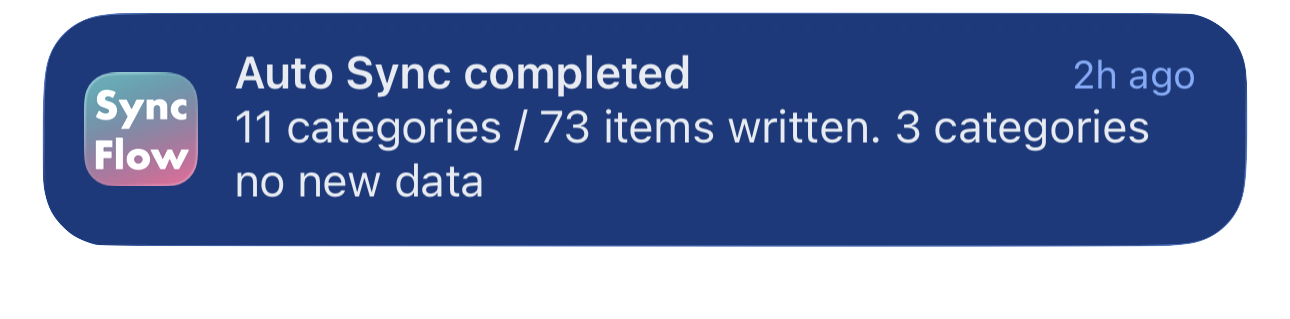
Exemplo em inglês de uma notificação de conclusão da sincronização automática do SyncFlow, com categorias sincronizadas e categorias sem dados novos.
Exemplo da tela em inglês. O conteúdo depende do resultado.
Baixar na App StoreBaixar na App Store

Artigos relacionados

  • How do Daily total and By record differ? ›
  • Why do numbers differ from Google Health (Fitbit)? ›

Ainda precisa de ajuda?

Falar com suporte
SyncFlow

SyncFlow

Início do SyncFlowAjudaFalar com suporte

Informações legais

Política de privacidadeTermos de uso

© 2026 SyncFlow