
SyncFlow
مدد
Getting startedSyncingRecordingOther apps and mismatched numbersCheckingDeleting data
مدد کا صفحہ›Syncing›How do I enable Auto Sync?

How do I enable Auto Sync?

Complete a manual sync, then turn on Auto Sync on the Sync tab. It is a Premium feature.

What it does

Sync your selected categories for today and the previous two days.

Use Manual Sync for older data.

Set up Auto Sync

  1. In Categories, choose the data to sync.
  2. On Home, tap “Sync”.
  3. Wait for the Manual Sync to finish.
  4. Check the result in “Sync History”.
  5. Open the “Sync” tab.
  6. Turn on “Auto Sync”.

Completion notifications

  1. Turn on “Notifications”.
  2. Allow notifications for SyncFlow in iPhone Settings.
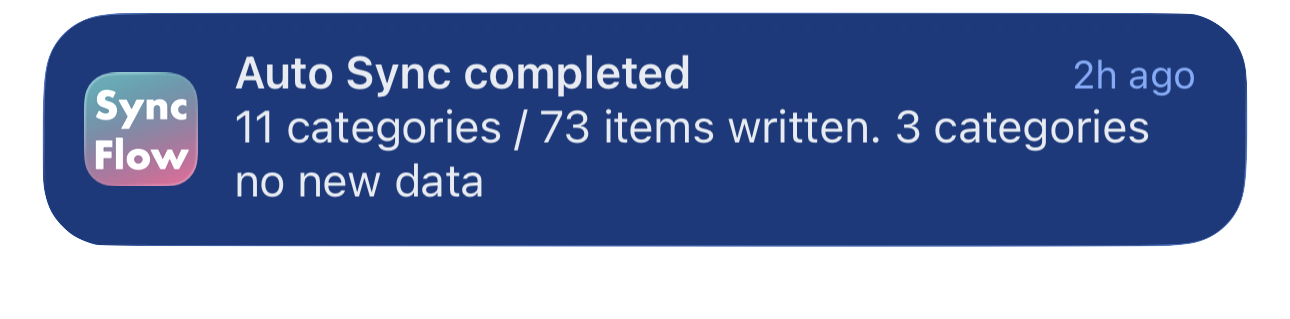
SyncFlow کے آٹو سنک مکمل ہونے کے اعلان کی انگریزی مثال، جس میں سنک ہونے والی اقسام اور نیا ڈیٹا نہ رکھنے والی اقسام دکھائی گئی ہیں۔
انگریزی میں نمائش کی مثال۔ مواد سنک کے نتیجے پر منحصر ہے۔
App Store سے ڈاؤن لوڈ کریںApp Store سے ڈاؤن لوڈ کریں

متعلقہ مضامین

  • How do Daily total and By record differ? ›
  • Why do numbers differ from Google Health (Fitbit)? ›

کیا اب بھی مدد چاہیے؟

سپورٹ سے رابطہ
SyncFlow

SyncFlow

SyncFlow ہوممددسپورٹ سے رابطہ

شرائط

رازداری کی پالیسیاستعمال کی شرائط

© 2026 SyncFlow