
SyncFlow
Trợ giúp
Getting startedSyncingRecordingOther apps and mismatched numbersCheckingDeleting data
Trang chủ Trợ giúp›Syncing›How do I enable Auto Sync?

How do I enable Auto Sync?

Complete a manual sync, then turn on Auto Sync on the Sync tab. It is a Premium feature.

What it does

Sync your selected categories for today and the previous two days.

Use Manual Sync for older data.

Set up Auto Sync

  1. In Categories, choose the data to sync.
  2. On Home, tap “Sync”.
  3. Wait for the Manual Sync to finish.
  4. Check the result in “Sync History”.
  5. Open the “Sync” tab.
  6. Turn on “Auto Sync”.

Completion notifications

  1. Turn on “Notifications”.
  2. Allow notifications for SyncFlow in iPhone Settings.
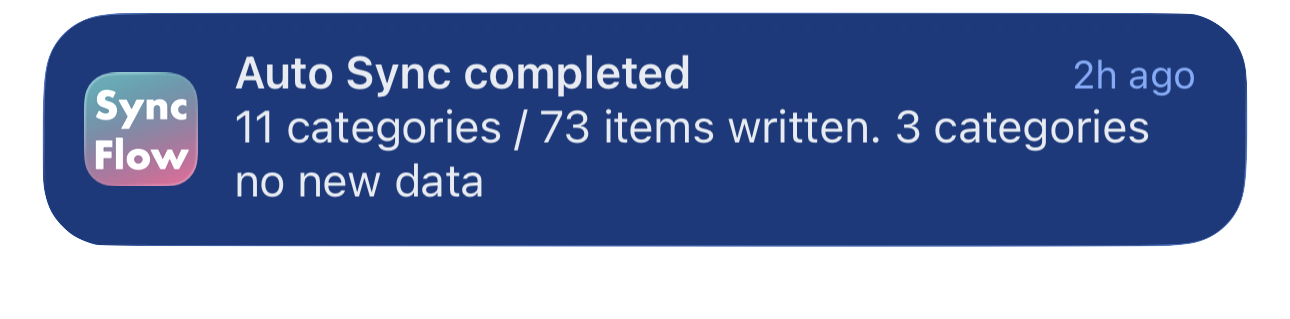
Ví dụ bằng tiếng Anh về thông báo hoàn tất Tự động đồng bộ của SyncFlow, hiển thị các danh mục đã đồng bộ và các danh mục không có dữ liệu mới.
Ví dụ hiển thị bằng tiếng Anh. Nội dung tùy thuộc vào kết quả đồng bộ.
Tải về trên App StoreTải về trên App Store

Bài viết liên quan

  • How do Daily total and By record differ? ›
  • Why do numbers differ from Google Health (Fitbit)? ›

Vẫn cần trợ giúp?

Liên hệ hỗ trợ
SyncFlow

SyncFlow

Trang chủ SyncFlowTrợ giúpLiên hệ hỗ trợ

Điều khoản

Chính sách quyền riêng tưĐiều khoản sử dụng

© 2026 SyncFlow