 SyncFlow
Fitbit calories not showing in Apple Health or YAZIO? How to fix it
Short answer
If your Fitbit calories do not show up in YAZIO, first check whether YAZIO is connected directly to Google Health (Fitbit) or through Apple Health.
YAZIO can receive your total daily calories from Google Health. The active energy you see in Apple Health is a different number, so the two can differ.
First, how is YAZIO connected?
There are two ways for YAZIO to receive your Fitbit data. They differ in cost and in what reaches YAZIO.
| Connection | Cost | What reaches YAZIO |
|---|---|---|
| Directly from Google Health (Fitbit) | Needs YAZIO Pro | Steps, distance, total daily calories and weight |
| Through the iPhone Health app | YAZIO's standard Apple Health connection is free | What YAZIO reads from Health (see YAZIO's help) |
Since October 30, 2026, YAZIO has supported Google Health's new connection (YAZIO announcement). You can connect only one app to YAZIO at a time for automatic tracking (YAZIO: which apps and devices connect).
Option 1: Connect Google Health to YAZIO directly
The direct connection needs YAZIO Pro. In YAZIO, go to Profile, then Automatic Tracking, then Google Health (Fitbit) and tap Connect. Select the Google account you use with Google Health, choose the data to share, and tap Continue. A checkmark next to Google Health (Fitbit) means it is connected. Pull down on your diary to refresh it. The steps are in YAZIO's announcement.
Data flows only from Google Health to YAZIO. Meals and water you log in YAZIO are not sent to Google Health.
Option 2: Go through the iPhone Health app
To use the free route, first make Google Health write to Health.
- In Google Health, tap the account icon (your profile picture) at the top right, then Partner apps. Under Add connections, tap Apple Health, then Get started, and follow the prompts.
- Allow the data types you want, such as active calories.
- In Health, tap Browse, then Activity, then Active Energy, and check that the day has a record.
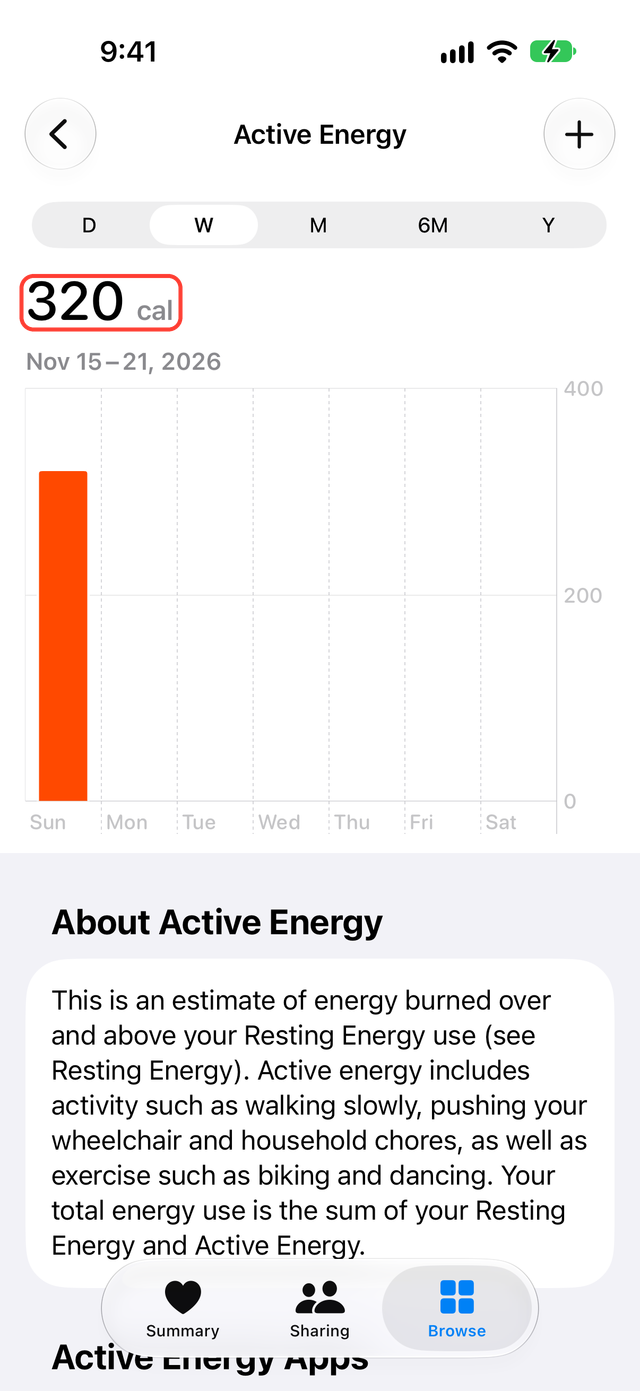
Then connect YAZIO to Apple Health and allow the data types it needs. YAZIO says to turn on read and write permissions, especially for active energy. Follow YAZIO's Apple Health help for those steps. YAZIO uses the active calories from Health to avoid counting them twice.
Why the calorie numbers do not match
Your Fitbit may show 2,000 calories for the day while Health shows 500. That alone is not a sync failure. The two numbers may be different kinds.
| Kind | What it means | Name in Health |
|---|---|---|
| Active calories | Burned by walking or exercise | Active Energy |
| Resting calories | Burned while you sit still | Resting Energy |
| Total daily calories | Active and resting added together | None |
YAZIO's direct connection receives total daily calories. The calories in Google Health's table of data it writes to Health are the active ones. Find out which connection YAZIO uses, then compare numbers of the same kind.
If YAZIO still does not show them
| What you see | What to check |
|---|---|
| Google Health has no value either | The sync between your Fitbit and Google Health |
| Google Health has it, Health does not | The permission for Google Health to write to Health |
| Health has it, YAZIO does not | The YAZIO and Apple Health connection and its read permission |
| Google Health and YAZIO are connected directly | Whether YAZIO Pro is active, which Google account you connected, and refreshing the diary |
What SyncFlow can do
If your calories already reach YAZIO directly from Google Health, you do not need SyncFlow.
If you also want calories in Health, SyncFlow connects to Google Health and writes Active Energy and Resting Energy to Health. Both categories require SyncFlow Premium, which costs $9.99 per month or $39.99 per year, with no free trial. Steps, sleep and weight for the last 30 days are free. Google Health's table lists only active calories as written to Health, so SyncFlow is an option if you also want resting calories there.
SyncFlow cannot change how YAZIO calculates calories or which categories YAZIO reads.