 SyncFlow
Fitbit sleep not showing in Apple Health? How to check
Short answer
If your Fitbit sleep is missing from Apple Health, first check whether Google Health (Fitbit) has last night's sleep, then check the write permission for sleep.
Missing sleep time and sleep time without stages need different checks. Use the morning after you tracked sleep to tell them apart.
How much of last night's sleep was recorded?
Open last night's sleep in the Google Health app and see whether it shows sleep time and sleep stages such as REM, light and deep. Then go to the matching row.
| State in Google Health and Health | Go to |
|---|---|
| Google Health has no sleep time | 1. Whether your Fitbit measured it and Google Health received it |
| Google Health has sleep time only | 2. Whether sleep stages were measured |
| Google Health has stages, Health does not | 3. Write permission for sleep in Health |
| Health has it, another sleep app does not | 4. That app's import conditions |
If steps and heart rate are missing too, check steps first. If Google Health has no steps for today, check the sync with your Fitbit. If it does, check the Apple Health connection and write permissions.
1. Google Health has no sleep for last night
- In Google Health, tap the Sleep tab, or the sleep duration tile on the Today tab, and look for the record from last night to this morning.
- On the Google Health Today screen, tap the device pill at the top left (it shows your device and its battery) to open the screen for your devices. On your device's card, check the sync line, which shows how long ago it last synced. To sync now, tap the small sync button (circular arrows) at the right end of the heading above your device.
- If there is still no sleep, check how you wear the Fitbit and the conditions for tracking.
If your Fitbit did not measure sleep, changing the connection settings will not add a record. Google's sleep help lists the conditions. Sleep is recorded once you have been still for about an hour.
2. There is sleep time but no stages
Sleep time and sleep stages are separate records. On a night when REM, light and deep do not appear, your Fitbit may not have been able to work out the stages.
Google's sleep stages help gives these causes:
- A sleeping position where the device could not get a steady heart rate
- A device worn too loosely
- A critically low battery
- Less than 20 minutes of sleep data, as in a short nap
Wear your Fitbit snug but not tight, about 2 to 3 finger widths above your wrist bone. If Google Health has no sleep stages, nothing you do in Health can add them.
3. Google Health has it, Health does not
- In Google Health, tap the account icon (your profile picture) at the top right, then Partner apps.
- Check that Apple Health is under Connected and shows a recent sync time. If it is, tap it, then tap Manage data and access and check that writing sleep is allowed. If it is not there, connect it from Add connections, Apple Health.
- In Health, tap your profile picture, tap Apps under Privacy, select Google Health, and make sure it can write sleep data.
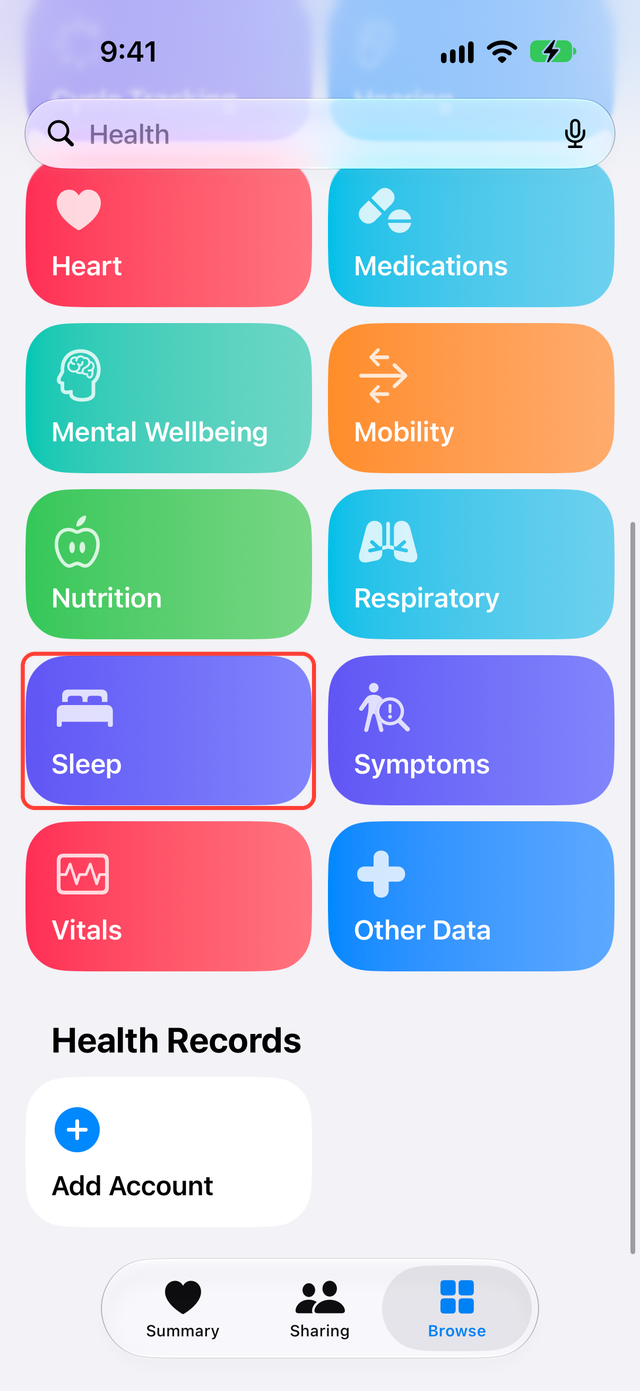
- In Health, tap Browse, then Sleep. Compare last night's time range with the sleep time and stages in Google Health.
Google's Apple Health help says the Google Health app can write sleep sessions and sleep stages to Apple Health.
4. Health has it, another app does not
If the record is in Health but not in an app such as Pokémon Sleep, check that app's import conditions. Pokémon Sleep's support page, for example, requires sleep stages totaling at least 90 minutes and sleep tracked after you linked Pokémon Sleep with Health.
If it still does not arrive
Turning on a permission does not guarantee that last night's sleep arrives. Google's help does not say how far back the Google Health app writes sleep from before you connected. Check again after the next night, in the same order.
Write down the date and what Google Health and Health each show. That makes it easier to explain the problem if you contact support.
What SyncFlow can do
If Google Health has your sleep but it does not reach Health, you can also sync it with SyncFlow. SyncFlow syncs Google Health sleep to Health by stage: awake, REM, core and deep. Sleep is a free category, for the last 30 days. Sync History shows the result; free users see the latest day.
SyncFlow does not create sleep that Google Health does not have, or sleep stages that were not measured.