 SyncFlow
How to use Fitbit Air and Apple Watch together in the Health app
Short answer
You can use Fitbit Air and Apple Watch together and see both devices' records in the iPhone Health app.
Apple Watch writes to Health directly, and the Google Health (Fitbit) app writes your Fitbit Air records. For steps, sleep and heart rate, decide which device's values you want, one data type at a time.
Apple Watch by day, Fitbit Air at night
You can count daytime steps with your Apple Watch and track sleep with Fitbit Air. The two records reach the iPhone Health app by different routes.
| How you use it | How the record reaches Health |
|---|---|
| Daytime steps on Apple Watch | Apple Watch to Health |
| Nighttime sleep on Fitbit Air | Fitbit Air to the Google Health app to Health |
Be careful about times when you wear both. Both devices send records for that time, so decide which device's values Health should use, one data type at a time.
If Fitbit Air is not yet connected to Health, connect it first with how to get Fitbit Air data into the iPhone Health app.
If you want Apple Watch steps first
- In Health, tap Browse, then Activity, then Steps.
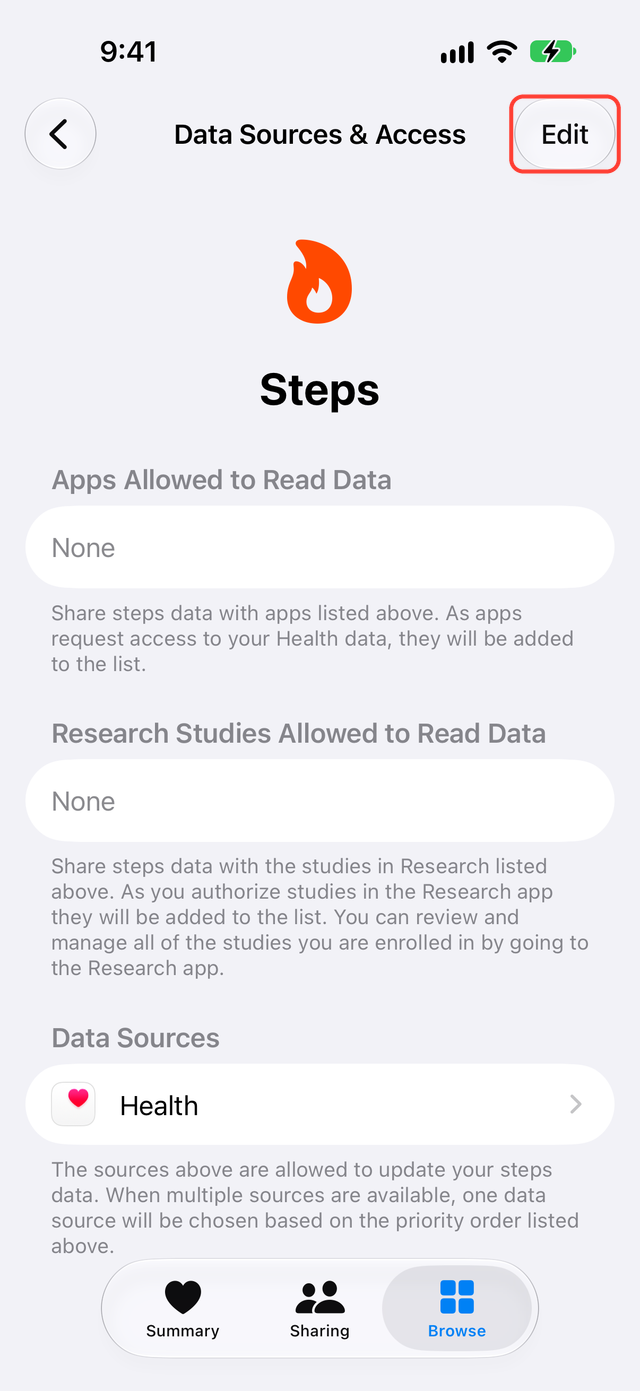
- Scroll to the bottom and tap Data Sources & Access.
- Check that Apple Watch and Google Health are both listed. Google Health writes the Fitbit Air records, so the name is Google Health.
- Tap Edit. Touch and hold the Change Order button next to Apple Watch and drag it above Google Health.
- Tap Done, go back to Steps, and look at that day's steps again.
Changing the order does not delete saved steps (Apple Support).
If steps are still very high, open Show All Data at the bottom of the Steps screen and look for records from a sync app you used before. Do not delete records until you know the cause.
Check that Fitbit Air sleep arrived
- Wear Fitbit Air to sleep.
- The next morning, open Google Health and check last night's sleep duration and stages.
- In Health, tap Browse, then Sleep, and look for the same night.
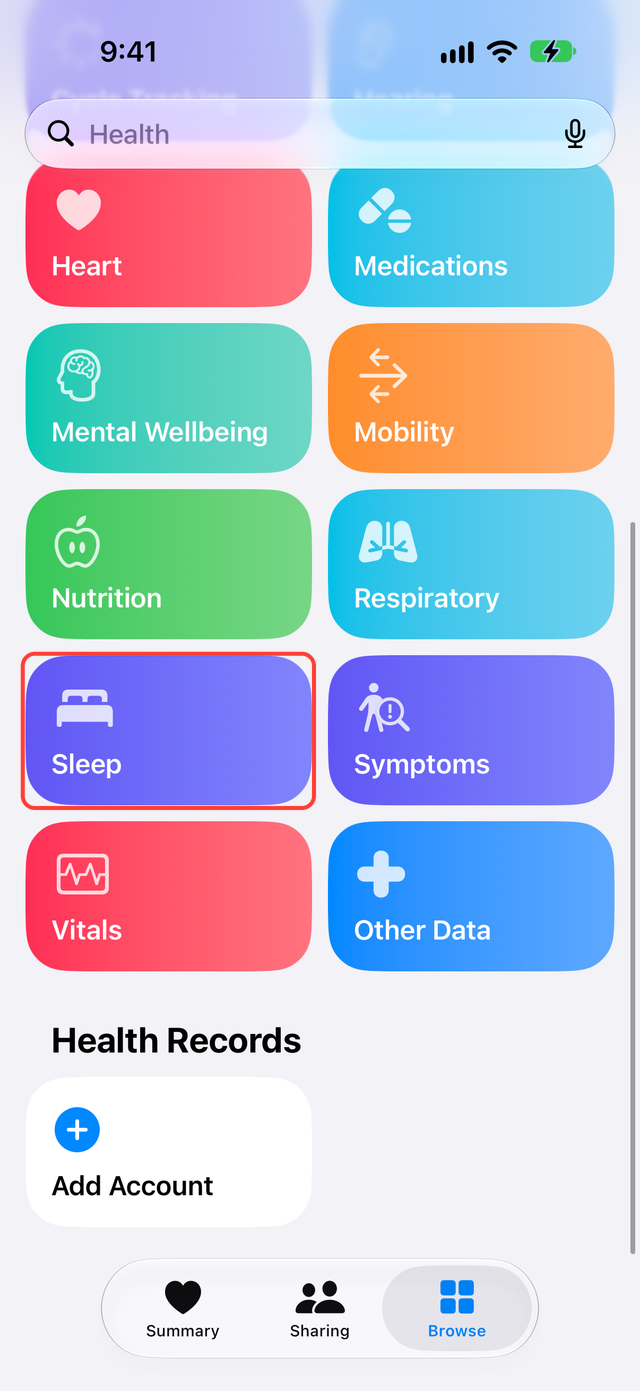
If you also wore the Apple Watch to sleep, Health can hold two records for that night. The source order is set for each data type, so changing the order for steps does not change sleep. Compare the date and source to see which sleep Health shows.
If Google Health has last night's sleep and Health does not, check the sleep permission. In Google Health, tap the account icon (your profile picture) at the top right, then Partner apps, then Apple Health.
Heart rate and heart rate variability
Apple Watch and Fitbit Air measure at different times and intervals. Both may have heart rate in Health, but the numbers at the same moment may not match.
Google Health does not write Fitbit Air's heart rate variability (HRV) to Health. Heart rate can arrive without HRV.
Games and other sleep apps
Sleep in Health does not mean every app will import it. Pokémon Sleep, for example, needs at least 90 minutes of sleep stages and sleep measured after you link it (Pokémon Sleep support).
If an app does not show your sleep, first check that Health has last night's record.
What SyncFlow can do
You can use Apple Watch and Fitbit Air together with just the Google Health connection and the source order in Health.
SyncFlow connects to Google Health and writes your Fitbit Air steps and sleep to Health. Steps and sleep for the last 30 days are free. You can sync manually when you open SyncFlow. With Premium, which costs $9.99 per month or $39.99 per year with no free trial, Auto Sync also updates the last 3 days without opening the app. Auto Sync can be delayed depending on your iPhone, and its timing is not guaranteed.
You choose which device's records Health prefers in Health, not in SyncFlow.