 SyncFlow
How to move old Fitbit records into Apple Health
Short answer
To move older Fitbit records into the iPhone Health app, connect Google Health (Fitbit) to Apple Health, then open an old date in Health and check that its record was written.
Google does not say how far back the free connection writes records from before you connected it. If a date is missing, look for another way to import older records.
Pick one date you want to move
Checking every record at once is hard. Start with a day you remember, such as a long walk on a trip last year or a night you slept well a few months ago.
Open that date's steps or sleep in the Google Health app. If Google Health has no record, changing iPhone settings will not bring that day back.
Connect Google Health to Health for free
The Google Health app writes steps, sleep and more to the iPhone Health app at no cost.
- In Google Health, tap the account icon (your profile picture) at the top right, then Partner apps.
- Under Add connections, tap Apple Health. If it is already under Connected, tap it and then tap Manage data and access.
- Allow the data types you want to move, such as steps and sleep.
- Check that new steps or sleep recorded after you connected reach Health.
The labels and steps follow Google Health's Apple Health help. If new records do not arrive either, check that Google Health has the day's steps and that Health allows Google Health to write them.
Check that the old date has a record
Once new records arrive, check the old date you picked.
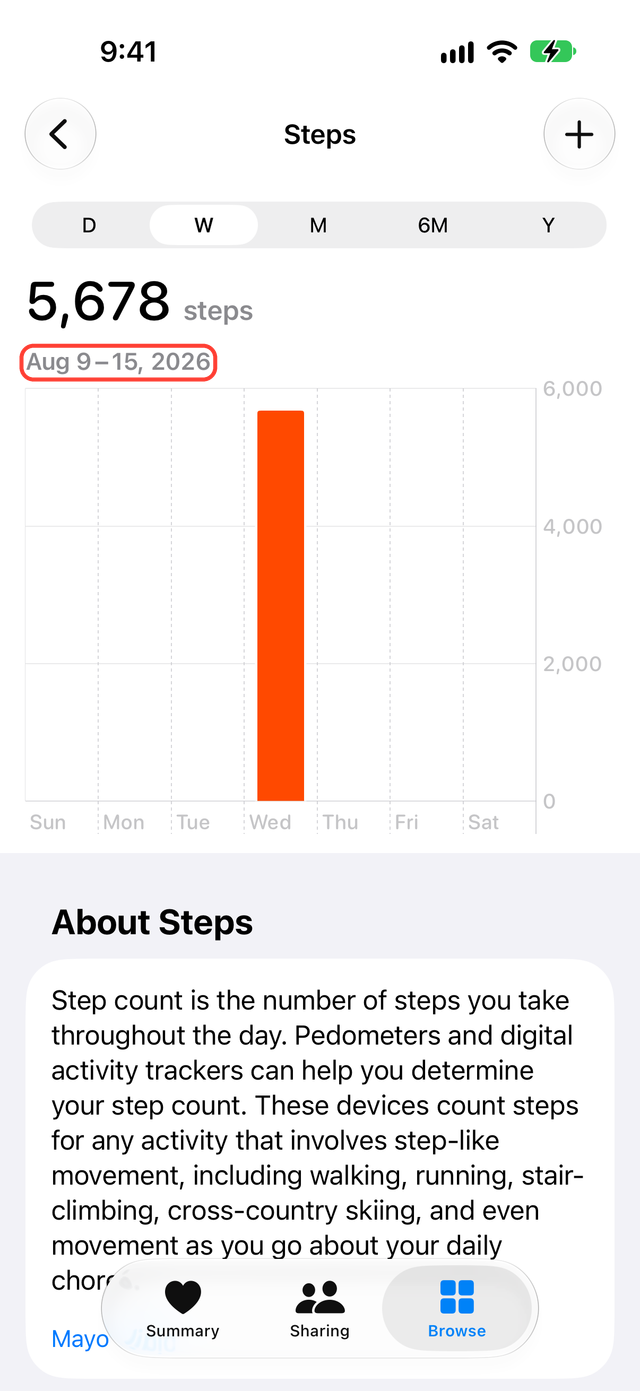
- In Health, tap Browse, then Activity, then Steps (or the data type you want).
- Switch the date to the day you checked in Google Health.
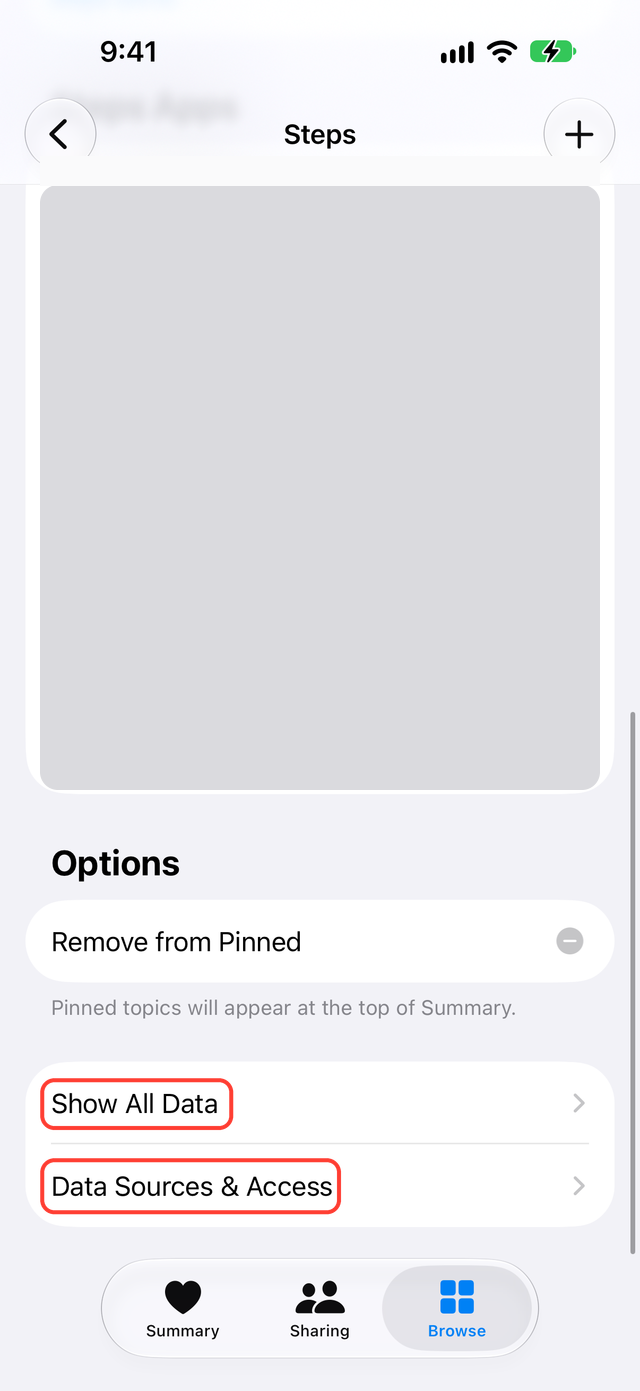
- If there is a record, scroll to the bottom and open Show All Data. Check that the same date has a record Google Health wrote. Sometimes only an earlier app or your Apple Watch wrote that day.
| Result | What to do next |
|---|---|
| The old record is there | Check two or three other dates and data types |
| Only recent records are there | Look for a way to import older records (next section) |
| Google Health has no old record either | Check that your Fitbit account has moved to a Google account |
| A record exists but the step total is different | Open Show All Data and select a record to see which app wrote it; use Data Sources & Access to check source priority |
Google's help does not say how far back the free connection writes records from before you connected it. Do not assume that older records moved because today's steps arrived.
The "three months" in Google's help describes records going the other way, from Health into Google Health. It does not mean three months of Fitbit records move to Health.
If old records do not arrive
A sync app that can import older records still in Google Health may help. Before you use one, check which dates and data types it can import and whether it shows the result by date.
If the app lets you choose a date range, try a few days first instead of the full history, then check the result. If an import stops partway, find out which day it reached before you run it again. Some apps write the same record twice.
Do not delete records already in Health first. You could lose records from your Apple Watch or an earlier app. Apple Support shows how to see which app wrote a record.
What SyncFlow can do
SyncFlow connects to Google Health and syncs your Fitbit records to Health. With Premium, SyncFlow brings in records older than 30 days after the first sync. If you used SyncFlow before, it does not bring in records from before each category's switch date. It does not re-read your whole history on every sync.
Steps, sleep and weight for the last 30 days are free. Older records and other categories come in on the next sync once you have Premium, which costs $9.99 per month or $39.99 per year. There is no free trial. Sync History shows the result by date; the free version shows the latest day, and Premium shows all of it.
SyncFlow can only bring in days that Google Health still has. If the free connection already moved what you need, you do not need another app.